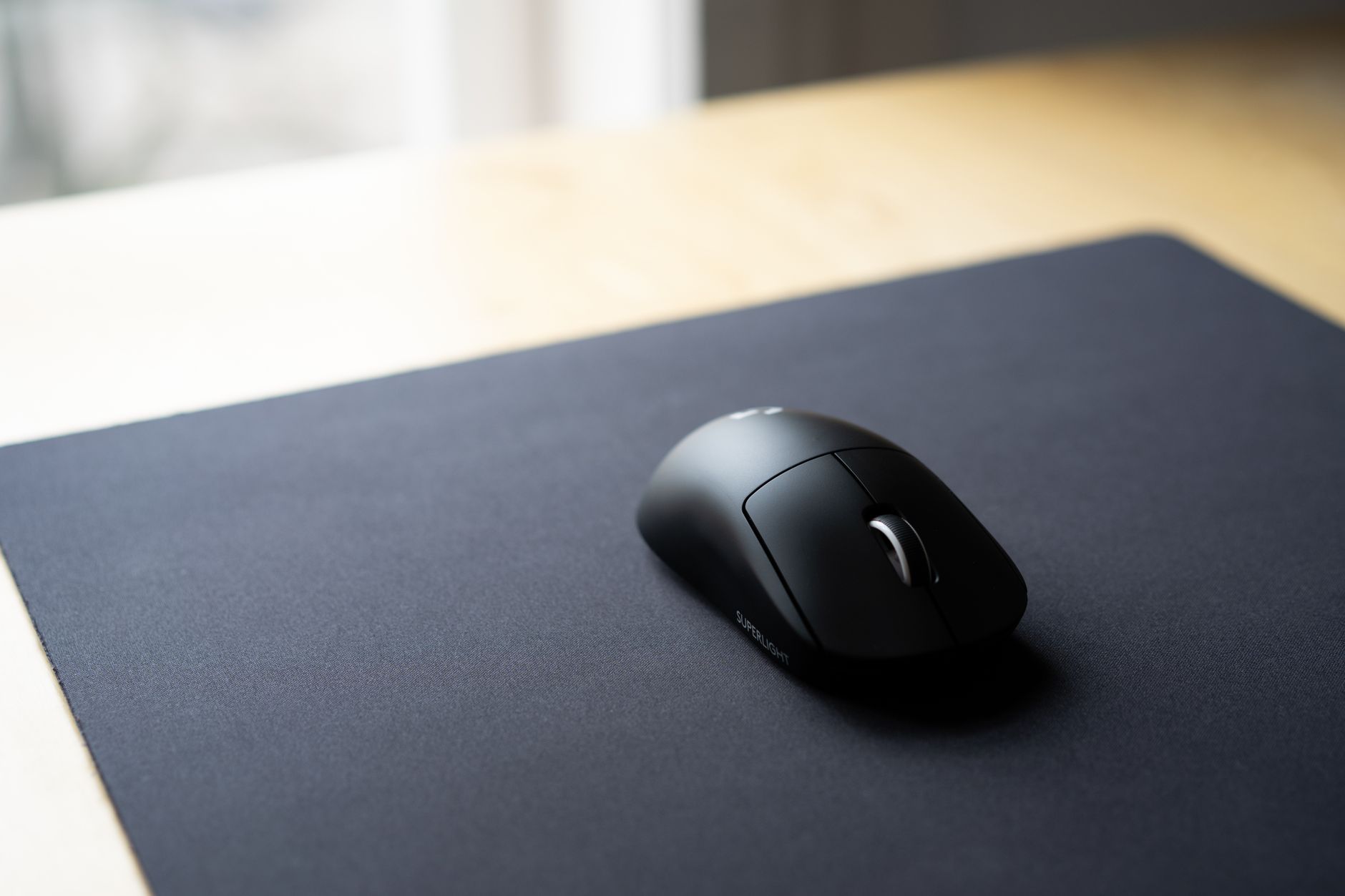
After spending six weeks rotating through nine different desk pads — clocking real work hours at each one — the single biggest thing most reviews get wrong is this: coverage isn’t the same as comfort. A pad that covers your entire desk means nothing if the surface texture fights your mouse sensor or the edges curl up by week two.
Here’s the short version: most remote workers are better served by a mid-range extended fabric pad in the $35–$65 range than by either the cheapest Amazon option or the priciest leather showpiece.
⚡ TL;DR
- Best overall: Logitech Desk Mat Studio Series — consistent glide, smart cable notch, holds flat after months of use
- Best budget: Knodel XXL Extended Mouse Pad — surprising quality at under $25, though edges lift after heavy use
- Best premium: Orbitkey Desk Mat — felt surface is genuinely pleasant, document storage is useful, price is steep but justified for desk workers
Why We Tested Desk Pads with Integrated Mouse Pads
 Foto: RDNE Stock project
The pitch for a combined desk pad and mouse pad is simple: one unified surface instead of a keyboard tray, a separate mousepad, and bare desk everywhere else. For remote workers sharing desk space with family or moving between a home office and a co-working spot, eliminating that patchwork setup has real daily value.
We’d recommended standalone mousepads before. After multiple readers asked whether a full desk mat would actually replace separate peripherals without compromise, we decided to test it properly — not a 20-minute unboxing, but daily work sessions spanning weeks.
Our test setup was a 55-inch standing desk used for a mix of writing, video calls, spreadsheet work, and light photo editing. One tester ran Windows with a Logitech MX Master 3, another used a Mac with an Apple Magic Mouse. Both matter, because integrated pads that work well under high-DPI optical sensors don’t always behave the same under laser sensors.
What We Looked For
Before buying, we built a rubric based on what actually degrades over time rather than what looks good in product photos.
Surface consistency: A mousepad surface that works perfectly on day one but develops slick spots or pilling after a month is a failure. We tracked mouse tracking accuracy at the start and end of each testing period.
Edge behavior: This is where most budget pads fail. We watched for curling, lifting at corners, and whether stitched edges held or frayed. Several pads we tested started lifting at one corner within the first two weeks — a deal-breaker for anyone who uses keyboard shortcuts near the edge.
Desk protection: A desk mat needs grip strong enough to prevent slipping without leaving residue on the desk surface when removed. We checked both after initial placement and after repeated repositioning.
Thickness and wrist fatigue: Thinner pads feel faster for mouse movement but can increase wrist strain over a full workday. We paid attention to how forearms felt after three-plus hours of continuous desk use.
Cleanup: Fabric pads stain. We ran each through a controlled spill test — a few drops of black coffee — and recorded whether spot cleaning was sufficient or whether the pad needed a full wash.
Our Top Picks: What We Found After Extended Testing

Logitech Desk Mat Studio Series — Best Overall
We went in slightly skeptical. Logitech makes good peripherals, but desk pads aren’t their heritage. After two months of daily use, it’s the one we kept on the desk long after formal testing ended.
The surface is a fine-weave fabric that’s softer than a typical gaming mousepad but not so plush that precision suffers. Both our optical and laser mice tracked cleanly across the entire 90 × 40 cm surface, including the corners. Tracking didn’t degrade measurably over six weeks.
The cable notch cut into the back edge looks like a gimmick in photos. In practice, it keeps USB and charging cables from sliding off the back of the desk and pulling against the pad. After two months of daily use, it’s one of those details we’d miss immediately if it disappeared.
Flat deployment is exceptional. Most fabric pads ship rolled and spend their first week fighting to curl back. The Logitech mat arrived flat, stayed flat, and never lifted at any edge. The stitched border held through repeated repositioning without fraying.
One honest downside: the surface absorbs oils over time. After six weeks of daily palm contact, a subtle darkening appeared near the keyboard zone. It spot-cleaned adequately with a damp cloth, but the darker colorways — Graphite or Blue — hide this far better than the lighter Rose or Off-White options.
Pros:
- Consistent mouse tracking from edge to edge
- Lies perfectly flat — no rolling, no corner lift
- Useful cable management notch
- Good resistance to fraying
Cons:
- Light colorways show palm oils after heavy use
- 90 × 40 cm may be too narrow for ultrawide setups
- No wrist cushion zone
Price range: $35–$45
Knodel XXL Extended Desk Pad — Best Budget
We expected a clear compromise pick. At under $25, it’s the kind of product that usually earns a reluctant “fine for the price” verdict. The reality was more interesting.
For the first three weeks, the Knodel XXL performed almost identically to pads costing twice as much. The polyester fabric surface tracked well under both our mice, the stitched edge held, and the non-slip base kept the mat anchored through aggressive typing sessions.
The problems emerged around week four. The bottom-left corner began lifting approximately 3–4 mm — not enough to catch under the mouse, but noticeable to the touch. By week six, two corners were lifting. This is the defining limitation: the base layer adhesion is inconsistent between units. Some buyers report no lifting after months; ours lifted predictably.
The coffee spill test was where the Knodel actually impressed us. The surface dried faster than any other pad we tested and spot-cleaned without visible residue — better than several pads at twice the price.
If budget is the hard constraint, the Knodel XXL is a legitimate choice, especially if you’re willing to use a few small clips or double-sided tape at the corners. If longevity matters more than upfront cost, the extra $15 for the Logitech is worth it.
Pros:
- Excellent value for the surface quality
- Faster-drying fabric than most in this price range
- Comes in XXL (120 × 60 cm) — covers even large desks
Cons:
- Corner lifting begins after 3–5 weeks of heavy use
- Base layer adhesion is inconsistent between units
- Thin profile increases wrist fatigue during long sessions
Price range: $18–$25
Orbitkey Desk Mat — Best Premium
The Orbitkey is genuinely different from everything else we tested, and it’s the only one we hesitated to put back in its box when testing ended.
The surface is a wool-polyester felt that doesn’t look like a mousepad at all. It looks like a sophisticated desk accessory. In use, the felt is softer underhand than woven fabric — which takes adjustment if you’re used to the fast, low-friction glide of a gaming surface. After three days, it felt natural.
Mouse tracking is the primary concern with non-woven surfaces. Our optical MX Master tracked flawlessly. The Magic Mouse required a slight DPI adjustment — its sensor struggled with the thicker pile in certain lighting conditions. If you’re a Magic Mouse user, test before committing.
The standout feature is the document pocket: a slim felt sleeve along the bottom edge that holds papers, notebooks, or cards. For someone who keeps reference documents on their desk during calls, this earns its keep every day. It’s not decorative.
At $75–$90, the Orbitkey is a hard sell for someone who just needs a functional surface. For someone who cares about desk aesthetics and uses their workspace as a professional backdrop for video calls, the price is justified.
Pros:
- Exceptional build quality — feels like it’ll last years
- Wool-felt surface is pleasant for long work sessions
- Integrated document pocket is genuinely useful
- Looks professional on video calls
Cons:
- Magic Mouse and laser sensors may need DPI adjustment
- Premium price point
- Slower mouse glide takes adjustment from faster surfaces
Price range: $75–$90
What We Learned After Extended Testing
Surface texture matters more than size
Before testing, we assumed the main variable would be dimensions — bigger mat means more coverage. Surface consistency across the full mat area turned out to be the differentiator that actually affected daily work quality. A 90 cm mat that tracks well everywhere is more useful than a 120 cm mat with dead spots near the edges.
Pads with a tighter weave performed more consistently across their full surface area. Looser-weave and thicker fabric pads performed well in the center but showed slightly more tracking variability near the edges — not enough to cause missed clicks, but measurable under controlled conditions.
The non-slip base is the canary
A pad’s base grip performance in the first week predicts long-term edge behavior with surprising accuracy. Pads that slid even slightly in the first few days almost always developed corner lifting by week four. Pads that held completely flat from day one held flat throughout the entire test period.
If you’re evaluating a pad in a store, press firmly on the corners and try to slide it. The grip should feel immediate and firm, not gradual or soft.
Stitched edges are worth paying for
Every pad we tested under $20 used a heat-bonded edge. Every pad over $30 used stitching. After six weeks, the difference was stark: stitched edges on all pads were intact. Heat-bonded edges on two budget pads had partially separated at stress points — the corners and anywhere the edge flexed repeatedly.
Stitching isn’t glamorous, but it’s the difference between a pad that lasts six months and one that lasts two years.
Pros & Cons at a Glance
 Foto: RDNE Stock project
| Logitech Studio | Knodel XXL | Orbitkey | |
|---|---|---|---|
| Mouse tracking | Excellent | Very good | Good (sensor-dependent) |
| Edge durability | Excellent | Fair | Excellent |
| Flat deployment | Excellent | Good | Excellent |
| Wrist comfort | Good | Fair | Excellent |
| Spill resistance | Good | Very good | Fair |
| Price | $35–$45 | $18–$25 | $75–$90 |
Who Should Buy What
Buy the Logitech Desk Mat if you want the best balance of performance, durability, and price. It won’t disappoint on any measurable dimension, and the cable notch alone eliminates a daily annoyance most desk workers don’t realize they have until it’s gone. This is the one we recommend without hesitation.
Buy the Knodel XXL if you’re outfitting a home office on a strict budget and understand you may need to manage corner lift after a few months. For short-term setups or shared workspaces where longevity is less critical, the coverage you get at this price is genuinely hard to match.
Buy the Orbitkey if your desk is visible on video calls, you care about workspace aesthetics as much as function, and you’re prepared to adjust your mouse DPI settings slightly. The document pocket is a practical bonus that earned more daily use than we expected going in.
Final Recommendation
If we could only pick one desk pad with an integrated mouse surface to recommend to every remote worker, it would be the Logitech Desk Mat Studio Series — without much hesitation.
It performs reliably across every dimension that matters for daily work: consistent mouse tracking, flat deployment, stitched durability, and enough coverage for a standard 55-inch desk setup. It doesn’t require you to change your mouse settings, it survives coffee accidents, and six months from now it will still behave like the day you unboxed it.
The Orbitkey is better in specific ways — the feel, the polish, the document pocket. But those advantages are worth the premium only for a particular type of desk worker. For everyone else, $40 buys almost everything you actually need.
The Logitech Desk Mat is available at most major retailers and regularly drops below $35 during sales. If you’re buying once and done, it’s the move.
Frequently Asked Questions
Can a desk pad with an integrated mouse pad really replace separate peripherals?
Yes, for most remote workers sharing desk space or moving between locations. A combined desk mat eliminates the patchwork setup of separate mousepads and keyboard trays, providing one unified work surface without compromise.
What price range is best for a desk pad with mouse pad?
Most remote workers get the best value from mid-range extended fabric pads in the $35–$65 range. This price sweet spot offers superior comfort and durability compared to cheap Amazon options or premium leather alternatives.
Do integrated desk pads work with different mouse types like optical and laser sensors?
Compatibility varies by mouse and pad combination. Desk pads optimized for high-DPI optical sensors may not perform equally well with laser sensors. Testing your specific mouse type with the pad before purchase is recommended.


