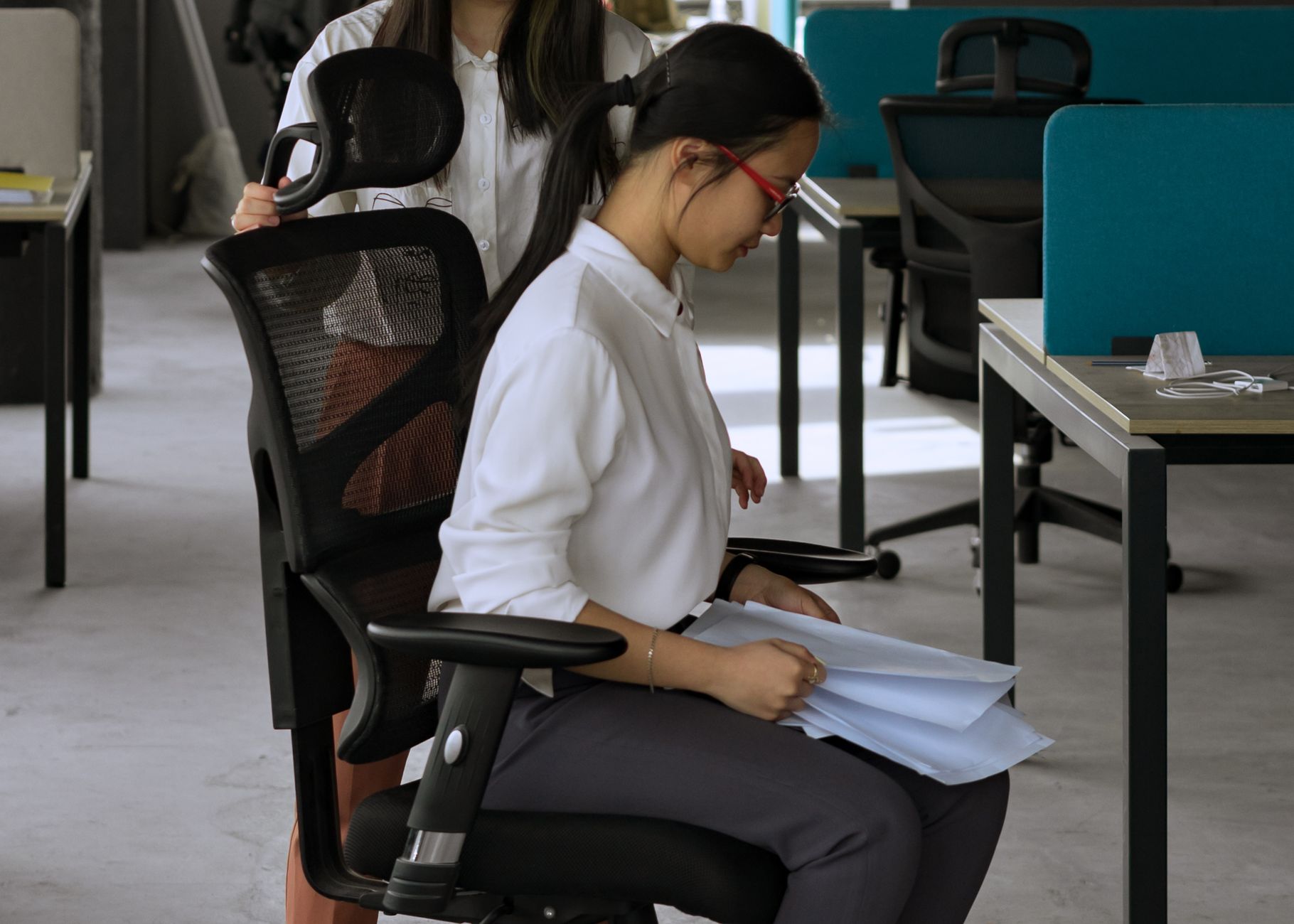
Picking the right ergonomic chair isn’t about finding the most expensive option — it’s about matching the chair’s adjustability and support to your body and your work habits. Every chair on this list was selected based on lumbar support quality, adjustability range, long-session comfort, and real-world usability for people who sit 6–10 hours a day. No filler picks, no sponsored fluff.
Whether you’re a freelancer in a studio apartment, a remote engineer pulling long sprints, or an entrepreneur running calls all day, there’s a chair here that fits your setup and your budget.
1. Herman Miller Aeron — Best Overall Ergonomic Chair
The Aeron has been the gold standard in ergonomic seating for decades, and it still earns that title. Its PostureFit SL lumbar system supports both the sacrum and lumbar regions simultaneously — something most chairs completely ignore. That dual-point support keeps your lower spine in its natural curve instead of letting it collapse forward as the day goes on.
The mesh construction is genuinely breathable, which matters more than people expect. Fabric and foam chairs trap heat; the Aeron’s 8Z Pellicle mesh is engineered with eight tension zones — firmer at the center where your spine is, softer at the edges to reduce pressure on your hips and thighs. On a hot afternoon or during back-to-back video calls, that difference becomes obvious within an hour.
It comes in three sizes (A, B, C) based on height and weight, which is unusual for office chairs. Getting the right size is non-negotiable — a size B on someone who needs a C will undo most of the ergonomic benefits by placing the lumbar support in the wrong position entirely.
Key Adjustments
- Tilt limiter and forward tilt
- Seat height, depth, and angle
- Armrests: height, width, depth, pivot
- PostureFit SL lumbar (dual-point adjustment)
Who It’s Best For
Anyone who spends 8+ hours at a desk and experiences lower back tightness by mid-afternoon. It’s a serious investment ($1,400–$1,700 new), but Herman Miller offers 12-year warranty coverage, and refurbished units in excellent condition regularly appear for $400–$700. The resale market for Aerons is one of the strongest of any office chair — a 5-year-old Aeron sells for more than most new chairs at $400.
2. Steelcase Leap V2 — Best for Active Sitting
 Foto: Vitaly Gariev
The Steelcase Leap V2 takes a different philosophy than the Aeron. Instead of holding you in one ideal position, it adapts to how you naturally shift and move throughout the day. The backrest mimics the movement of your spine — it flexes in two zones, upper and lower, independently following your posture as you lean, stretch, and reposition.
That might sound like marketing language, but it’s genuinely noticeable. Steelcase’s own research found that people change posture roughly 50 times per hour during focused work. Most ergonomic chairs penalize that movement by resisting or creaking; the Leap accommodates it. If you tend to fidget or find yourself constantly adjusting, that’s actually a healthy sign — and the Leap is built around it.
The Natural Glide System is the other standout feature: as you recline, the seat slides slightly forward rather than tipping you back. That keeps your eyes at monitor level and maintains the working distance between you and your desk without you needing to lean forward to compensate.
The seat edge is soft and doesn’t cut into the back of your thighs — a persistent issue with firmer seat pans. The lower body position stays comfortable across different sitting styles, including cross-legged or shifted to one side.
Key Adjustments
- Natural Glide System (seat moves forward as you recline)
- Upper and lower back force control
- Seat height, depth, and firmness
- Arm height, width, pivot, and depth
At around $1,200–$1,500 new, it’s priced similarly to the Aeron. The choice between the two often comes down to preference: static optimal support (Aeron) vs. dynamic adaptive support (Leap). Both are exceptional.
3. Humanscale Freedom — Best Lumbar Support for Recliners
The Humanscale Freedom is built for people who like to recline during the day — not just slump, but actually lean back while working. Its self-adjusting recline mechanism uses your body weight to calibrate resistance automatically, so there’s no tension dial to fiddle with. Heavier users get appropriate resistance; lighter users aren’t fighting the chair to lean back.
The headrest is what makes it stand out. It pivots and adjusts to follow your head position as you recline, which eliminates the neck strain that builds up when you lean back and your headrest stays stationary. For anyone dealing with both back pain and neck or shoulder tension — a common combination for people who’ve been compensating with bad posture for years — that feature alone is worth serious consideration.
The lumbar pad is form-molded and sits against the curve of your lower back without protruding aggressively. It won’t suit everyone — people who prefer more pronounced lumbar pressure sometimes find it subtle — but for everyday support it hits the right spot for most body types.
The Freedom is typically priced around $1,100–$1,400. It’s a strong option for professionals who spend time on long calls or reading, where reclining naturally is part of the workflow rather than something you do at the end of a long day.
4. Branch Ergonomic Chair — Best Mid-Range Value
 Foto: Alpha En
Branch sells direct-to-consumer and cuts out the retail markup, which is how they deliver a genuinely ergonomic chair at $350–$500. It’s not a budget chair with ergonomic branding slapped on — it has adjustable lumbar support, 3D armrests, seat depth adjustment, and a recline with tension control.
The lumbar support is height-adjustable across a 4-inch range, not just a fixed pad, which immediately puts it ahead of most chairs in its price range. The seat cushion is dense foam rated for 8 hours of continuous use, and it holds up over time rather than compressing flat within six months — a common failure point on cheaper chairs.
It’s not perfect. The recline range tops out at about 20 degrees compared to 30+ on premium options, and the armrest feel is noticeably different from Steelcase or Herman Miller quality. The armrests are functional but lack the micro-adjustability you get at higher price points. But for someone transitioning from a dining chair or a basic task chair, the Branch is a significant ergonomic upgrade without requiring a four-figure investment.
Who It’s Best For
Freelancers and remote workers who need real lumbar support on a realistic budget. Also a solid choice as a secondary chair for a guest office or shared workspace where you don’t want to park a $1,500 chair.
5. IKEA Markus — Best Budget Chair for Back Pain
The Markus shouldn’t be as good as it is at $230. It has a high back with a built-in lumbar curve, a headrest, breathable mesh back, and a seat cushion that lasts reasonably well. IKEA doesn’t give you adjustable lumbar support or 3D armrests, but the fixed lumbar position is well-placed for people of average height, and the mesh back performs noticeably better than foam-and-fabric alternatives at the same price.
The fit matters here. The Markus works best for people roughly 5'7"–6'2" and under 242 lbs (the rated weight limit). Outside that height range, the lumbar position may sit too high or too low, which negates its benefit entirely. If you’re in that range and don’t have complex ergonomic needs, it’s a remarkably capable chair.
Armrests are fixed-height and not width-adjustable, which is the most significant limitation. If you need to get close to your desk or type with your wrists in a specific position, that can create issues over time. But for remote workers who spend more time on calls and reading than heavy typing, it’s often fine.
The Markus is the answer when someone needs to fix their back pain situation without spending a month’s profit. It’s not a forever chair, but it’s far better than the alternative of sitting in pain on a dining chair while you save up for something better.
Quick Comparison: Ergonomic Chairs at a Glance
 Foto: Alpha En
| Chair | Price (USD) | Lumbar Type | Armrests | Best For |
|---|---|---|---|---|
| Herman Miller Aeron | $1,400–$1,700 | Dual-point (PostureFit SL) | 4D | Best overall, long hours |
| Steelcase Leap V2 | $1,200–$1,500 | Dual-zone flex back | 4D | Active sitters, fidgeters |
| Humanscale Freedom | $1,100–$1,400 | Form-molded + headrest | 3D | Recliners, neck/back combo |
| Branch Ergonomic | $350–$500 | Height-adjustable pad | 3D | Mid-range budget |
| IKEA Markus | ~$230 | Fixed curve | Fixed 2D | Entry-level, average height |
What Actually Makes a Chair Ergonomic for Back Pain
“Ergonomic” gets slapped on everything. Here’s what to look for when evaluating any chair — including options not on this list.
Lumbar support you can position. Fixed lumbar pads only work if they happen to hit your lumbar curve at the right height. Adjustable lumbar support lets you dial in the fit. If you can’t move it vertically at least 2 inches, treat it as fixed.
Seat depth adjustment. If the seat pan is too long, it pushes against the backs of your knees and tilts your pelvis backward, flattening your lumbar curve. Aim for 2–3 fingers of clearance between the seat edge and the back of your knee.
Armrests at elbow height. Armrests set too high force your shoulders up into a permanent shrug; too low and you slouch sideways to reach them. Adjustable armrests (at minimum height, ideally width and pivot too) reduce shoulder and neck tension as much as lumbar support reduces low back pain.
Recline tension control. Being able to lean back slightly throughout the day — even 10–15 degrees — reduces compressive load on your lumbar discs by roughly 30% compared to sitting bolt upright. Chairs that lock you rigid remove that pressure-relief option entirely.
Back height that reaches your shoulder blades. A chair back that ends at mid-back forces your upper spine to support itself without a reference point. The backrest should reach at least to the bottom of your shoulder blades, and a headrest becomes meaningful for anyone spending significant time reclined or on calls.
Material that breathes. Foam seats trap heat, which makes you shift position more often and can increase discomfort over a long session. Mesh backs are worth prioritizing when budget allows.
Top Picks by Use Case
 Foto: cottonbro studio
The right chair depends on more than price — it depends on how and where you work.
- Best for marathon coding sessions: Steelcase Leap V2 — the adaptive back keeps you comfortable through posture shifts without requiring manual readjustment.
- Best for video call-heavy workdays: Humanscale Freedom — the reclining headrest means you can lean back naturally during calls without neck strain building up over a three-hour block.
- Best overall investment: Herman Miller Aeron — the warranty, the adjustability, the resale value, and the availability of quality refurbished units make it the most defensible choice if budget allows.
- Best for tight budgets: Branch Ergonomic Chair as the first pick; IKEA Markus if $350 is still too much right now.
- Best for shared offices or hot-desks: Aeron or Leap V2, both of which have wide adjustability ranges that can accommodate multiple users without major reconfiguration between sessions.
Back pain from a bad chair builds gradually and heals slowly. A chair that supports your lumbar spine, keeps your pelvis level, and lets you shift positions throughout the day isn’t a luxury — it’s the baseline for working without building a chronic problem. Any of the five chairs above will get you there. Start with your budget, match it to your sitting style, and stop putting it off.
Ready to upgrade your setup? Pair your new chair with a monitor at eye level, a keyboard at elbow height, and a desk at a height that keeps your forearms roughly parallel to the floor. The chair solves the foundation problem — the full ergonomic stack is what eliminates the pain for good.
Frequently Asked Questions
What makes the Herman Miller Aeron stand out for back pain relief?
Its PostureFit SL lumbar system provides dual-point support for both the sacrum and lumbar regions, keeping your lower spine in its natural curve instead of collapsing forward as the day progresses.
Why is mesh construction important in ergonomic office chairs?
Mesh like the Aeron’s 8Z Pellicle is engineered with tension zones—firmer at the center to support your spine, softer at the edges to reduce hip and thigh pressure. This breathability prevents heat buildup during long work sessions.
How do I choose the right size ergonomic chair?
The Herman Miller Aeron comes in three sizes (A, B, C) based on height and weight. Selecting the correct size is critical because wrong sizing places lumbar support in the wrong position, undermining the chair’s ergonomic benefits.


