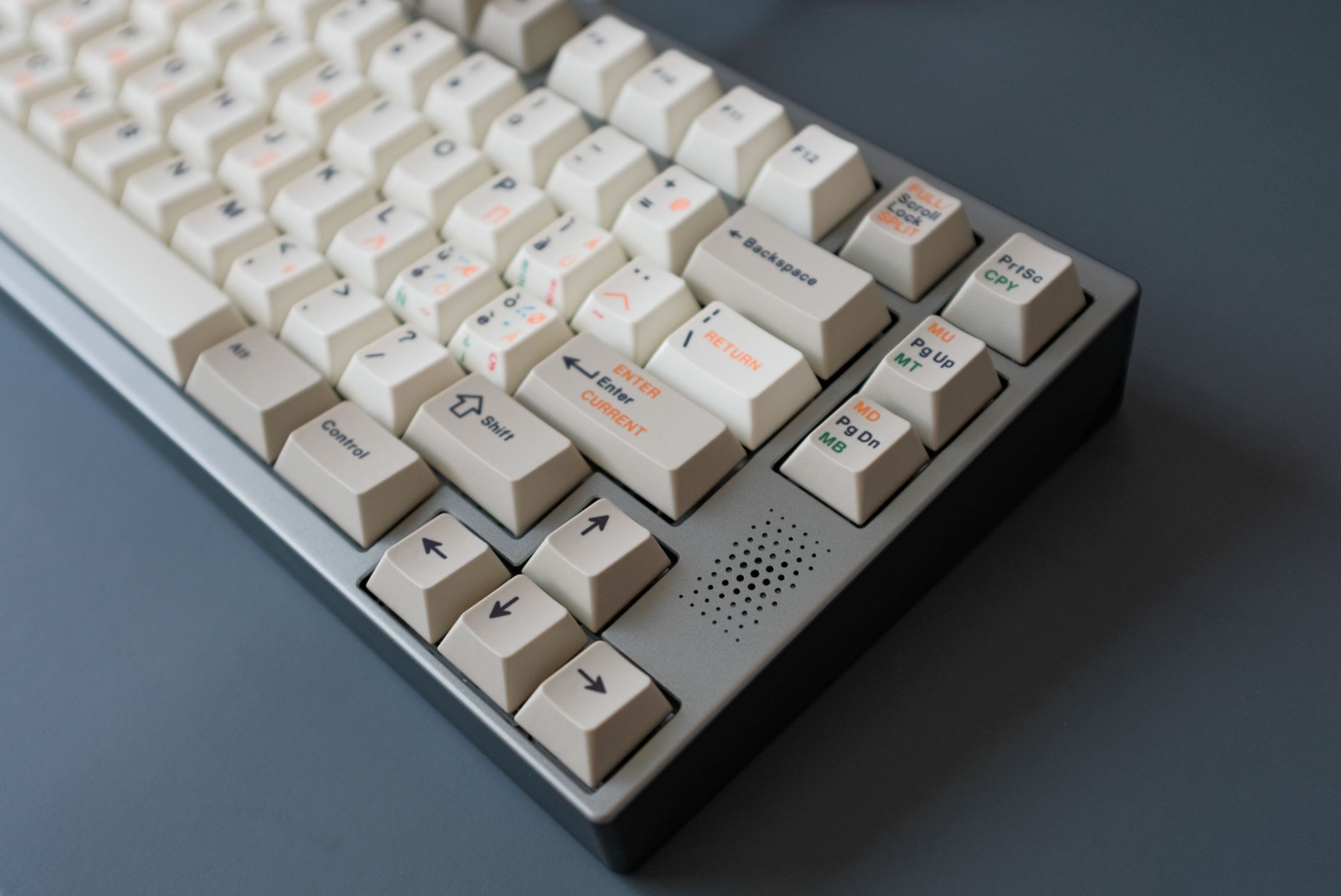
The best mechanical keyboard for remote work depends on two things: how much you type and where you work. If you’re grinding through 6+ hours of writing, coding, or emails daily, a mechanical keyboard will feel noticeably different from a membrane board — faster to actuate, more consistent, and significantly less fatiguing over a full workday. The most recommended starting point in 2026 is the Keychron K8 Pro for most people, but the right pick varies based on your noise tolerance, desk space, and whether you need wireless.
Why Does Your Keyboard Actually Matter for Remote Work?
Most people underestimate how much a keyboard affects their output. You’re using it for hours every day, and the feedback (or lack of it) shapes how your hands feel by 4pm.
Membrane keyboards — the cheap, flat ones bundled with desktops — require you to bottom out every keypress to register it. That means unnecessary finger travel and more impact per keystroke. Mechanical switches actuate before you hit the bottom, which is less tiring and faster once you adapt to it.
The difference isn’t subtle:
- Typing speed typically improves 5–15% after a few weeks on a well-matched switch
- Typing fatigue is measurably reduced, especially in the forearms and wrists
- Accuracy improves because tactile or clicky switches give physical confirmation of each registered keypress
For remote workers, the ROI is real. A $100–$150 mechanical keyboard is a one-time purchase that lasts 5–10 years and touches every single task you do. Compare that to an ergonomic wrist rest at $40 or a monitor arm at $80 — the keyboard has more daily contact hours than either.
What Should You Look for in a Mechanical Keyboard for Home Office Use?
 Foto: Jakub Zerdzicki
Not all mechanical keyboards are built the same. Here’s what actually matters when you’re buying for a home office setup rather than gaming.
Switch Type: Tactile vs. Linear vs. Clicky
This is the biggest decision, and it’s personal. There are three families:
- Tactile switches (Brown, Clear, Holy Pandas) — give a bump you can feel mid-press, without a loud click. Best for most remote workers who want feedback without noise.
- Clicky switches (Blue, Green) — loud and satisfying, but absolutely not suitable for video calls or shared spaces. Keep these if you work alone.
- Linear switches (Red, Black, Yellow) — smooth all the way down, no bump. Fast, quiet-ish, great for gaming but also good for long typing sessions if you prefer a softer feel.
For remote work specifically: tactile switches are the sweet spot. Browns are the entry point. If you want something more premium, try Boba U4s (silent tactile) or Gateron Browns.
Form Factor: Full-Size, TKL, or 75%?
Desk space matters at home. The most popular formats for remote workers:
- Tenkeyless (TKL) — removes the numpad, keeps arrows and function keys. Best all-rounder.
- 75% — compact but keeps the function row. Fits tight desks, very popular right now.
- Full-size — only worth it if you work heavily with numbers or use the numpad shortcuts regularly.
Unless you’re in accounting or finance, a TKL or 75% layout is almost always better for home office ergonomics. Less reaching for your mouse saves shoulder strain over time.
Build Quality and Sound Profile
Cheap keyboards feel hollow and sound tinny. Better boards use aluminum frames or quality plastic with dampening foam that makes every keypress feel solid and muted.
Plate material has a bigger impact on sound than most buyers realize. Brass plates produce a sharper, higher-pitched tone. Polycarbonate plates flex more and absorb vibration, producing a softer sound. Aluminum sits in between — firm with a medium-pitched profile that most people find neutral and professional. POM plates go one step further toward a cushioned, dampened feel that’s ideal for call-heavy days.
If you’re on video calls frequently, sound profile matters. Some boards like the Keychron Q series come pre-modded with gasket mounting for a thockier, deeper sound that’s much less jarring on calls.
Which Mechanical Keyboards Are Actually Worth Buying in 2026?
Here’s a curated breakdown by category — no filler picks, just boards that remote workers consistently recommend after real daily use.
| Keyboard | Switch Options | Form Factor | Wireless | Price Range | Best For |
|---|---|---|---|---|---|
| Keychron K8 Pro | Brown, Red, Blue | TKL (87-key) | Yes (BT + USB) | $90–$110 | Best overall pick |
| Keychron Q3 Pro | Many (hot-swap) | TKL | Yes | $160–$190 | Premium all-rounder |
| Logitech MX Mechanical | Brown, Red | Full / Mini | Yes | $100–$130 | Mac/Windows multitasking |
| Nuphy Air75 V2 | Many (hot-swap) | 75% | Yes | $85–$100 | Compact + wireless budget |
| HHKB Professional Hybrid | Topre (unique) | 60% | Yes | $270–$310 | Serious typists, programmers |
| Leopold FC750R | Cherry MX | TKL | No | $100–$120 | Quiet, durable, reliable |
| Ducky One 3 | Cherry MX | Multiple | No | $100–$130 | Custom feel, great stock sound |
Check Current Prices on Amazon: Keychron K8 Pro → | Keychron Q3 Pro → | Logitech MX Mechanical → | Nuphy Air75 V2 → | HHKB Professional Hybrid → | Leopold FC750R →
The Best Pick for Most Remote Workers: Keychron K8 Pro
The K8 Pro hits almost every requirement for a home office keyboard. It’s wireless (Bluetooth 5.1 + USB-C), works across Mac and Windows with a physical switch, uses standard keycap sizing so you can customize later, and the hot-swap version lets you swap switches without soldering.
Browns are a safe default, but if you already know you prefer linears, the Red version is equally good. Build quality is solid for the price — aluminum top frame, POM plate option available. The keycap compatibility is also worth mentioning: south-facing LEDs on the K8 Pro work with most third-party doubleshot PBT keycap sets without shine-through issues.
Best Premium Option: Keychron Q3 Pro
If you want to spend once and forget it forever, the Q3 Pro is near the top of the market under $200. Full aluminum build, gasket-mounted, south-facing PCB for modern keycap compatibility, and hot-swap sockets. The typing sound out of the box is exceptional — deep and muted without any mods.
The wireless is a newer addition and works reliably. Battery life is around 4,000 mAh, which lasts weeks on a single charge for most users.
Are Wireless Mechanical Keyboards Good Enough for Serious Work?
 Foto: Pew Nguyen
Two years ago, this was a valid concern. In 2026, it’s mostly resolved.
Modern wireless boards using 2.4GHz dongles (like those in Logitech’s lineup) have latency under 1ms — indistinguishable from wired for typing. Bluetooth latency is slightly higher but still undetectable for any non-gaming task.
The real-world question is: do you need the cable-free desk? If your home office has a monitor arm, standing desk, or you work from multiple spots, wireless is a genuine quality-of-life improvement. Cable management with a mechanical keyboard is annoying — thick braided cables pull toward the edge of the desk and create drag that throws off typing angle when you reposition.
Battery life on quality wireless boards has improved significantly:
- Keychron K8 Pro: ~200 hours with backlight off
- Logitech MX Mechanical Mini: ~10 months with backlight
- Nuphy Air75 V2: ~80–100 hours typical use
The only downside that remains: if you forget to charge it, you’re stuck with a paperweight mid-deadline. Keep the USB-C cable nearby as a backup — most wireless boards work wired too.
What About Noise — Can You Use a Mechanical Keyboard on Video Calls?
This is the question that stops a lot of people from switching. The answer: it depends entirely on which switches and board you choose.
Clicky switches (Blue, Green) are out if you’re on Zoom or Teams calls regularly. Your colleagues will hear every keystroke through your microphone. It’s genuinely annoying, and many people have been asked to change keyboards in remote teams.
Here’s what actually works on calls:
- Silent tactile switches — Boba U4, Gateron Silent Brown, Cherry MX Silent Red. These have rubber dampening built into the stem. The typing feel is slightly mushed compared to regular switches, but they’re nearly inaudible.
- Linear switches with a dampened board — O-rings on keycaps, foam in the case, and a gasket mount can bring a regular linear board down to acceptable noise levels.
- Topre boards (like HHKB) — unique capacitive mechanism that sounds like a soft “thock” rather than a click. Very quiet at the top of the press, only slightly louder at the bottom.
The other variable is your microphone. A good dynamic mic (like the Shure MV7 or Rode NT-USB Mini) has a narrow pickup pattern that focuses on your voice and naturally rejects keyboard noise below and to the side. A cheap headset mic, however, picks up everything on your desk — the keyboard, your fan, the refrigerator humming down the hall.
If you don’t want to compromise on switch feel, upgrade your microphone rather than downgrading your keyboard.
Which Mechanical Keyboard Is Best for Your Budget?
 Foto: Anete Lusina
Under $80: Entry Level That Doesn’t Feel Like It
The Nuphy Air75 V2 is the standout at this price. It’s a hot-swap 75% board with wireless, decent build quality, and a sound profile that punches above its class. The Nuphy Aloe (linear) and Wisteria (tactile) switches bundled with it are surprisingly smooth for stock switches.
The Royal Kludge RK84 is another solid option — 84-key layout with wireless for under $60 on sale. Build quality is more plasticky, but the RK switches are legitimate and the wireless implementation is stable. The software is clunky, but if you set it up once and leave it, it’s a non-issue.
$80–$150: The Sweet Spot
This is where you get the most keyboard for your money. The Keychron K8 Pro lives here, alongside the Ducky One 3 and Leopold FC750R.
Leopold deserves more attention than it gets. Their boards are heavy, acoustically dampened from the factory, and built to outlast most of what’s on the market. No software, no RGB, no unnecessary features. The FC750R in particular is a TKL that types exceptionally well out of the box — Cherry MX Silent Reds turn it into one of the quietest mechanical boards you can buy. People who buy Leopold boards rarely return them.
$150–$300: Premium and Worth It
The Keychron Q3 Pro and HHKB Professional Hybrid own this tier. HHKB is a cult object in the programming world — the Topre switches have a feel that genuinely can’t be replicated, and the compact 60% layout forces efficient key mapping. The board has barely changed in a decade because it doesn’t need to. It’s not for everyone, but people who use one for three months rarely go back.
Custom-built keyboards also open up here. Sites like Swagkeys, Keychron, and Drop let you configure from PCB to keycap for around $150–$250 total. Choosing your own plate material, switches, and stabilizers produces a typing experience nothing off-the-shelf can match. If you’re particular about feel and plan to type professionally for years, the custom route is worth the one-time effort to research and build.
Ready to Upgrade Your Typing Setup?
If you’ve never tried a mechanical keyboard, start with the Keychron K8 Pro with Brown switches — it covers every base without overcommitting. If you want to go straight to premium, the Keychron Q3 Pro is the last keyboard most remote workers ever need to buy.
Check current pricing and availability on Amazon — most Keychron boards ship with Prime and have solid return windows if the switch type doesn’t click for you (pun slightly intended).
One last thing: order a switch tester before committing if you haven’t tried mechanicals before. A $10–$15 tester with 10–15 different switches tells you in 10 minutes more than any review ever could. Your hands will make the decision for you.
Frequently Asked Questions
Why does a mechanical keyboard matter for remote work?
Keyboards affect productivity directly. Mechanical switches actuate before bottoming out, reducing finger fatigue and key travel. Typing speed improves 5-15% within weeks, while accuracy improves due to tactile feedback confirmation.
How much can switching to a mechanical keyboard improve typing speed?
Typing speed typically improves 5-15% after a few weeks on a well-matched switch. The improvement comes from reduced finger travel and consistent key actuation, which lowers fatigue over a full workday.
What’s the most important factor when choosing a mechanical keyboard for home office use?
Switch type — choosing between tactile, linear, or clicky — is the biggest decision and varies by personal preference, noise tolerance, and desk space. This choice directly impacts daily comfort and typing experience.


