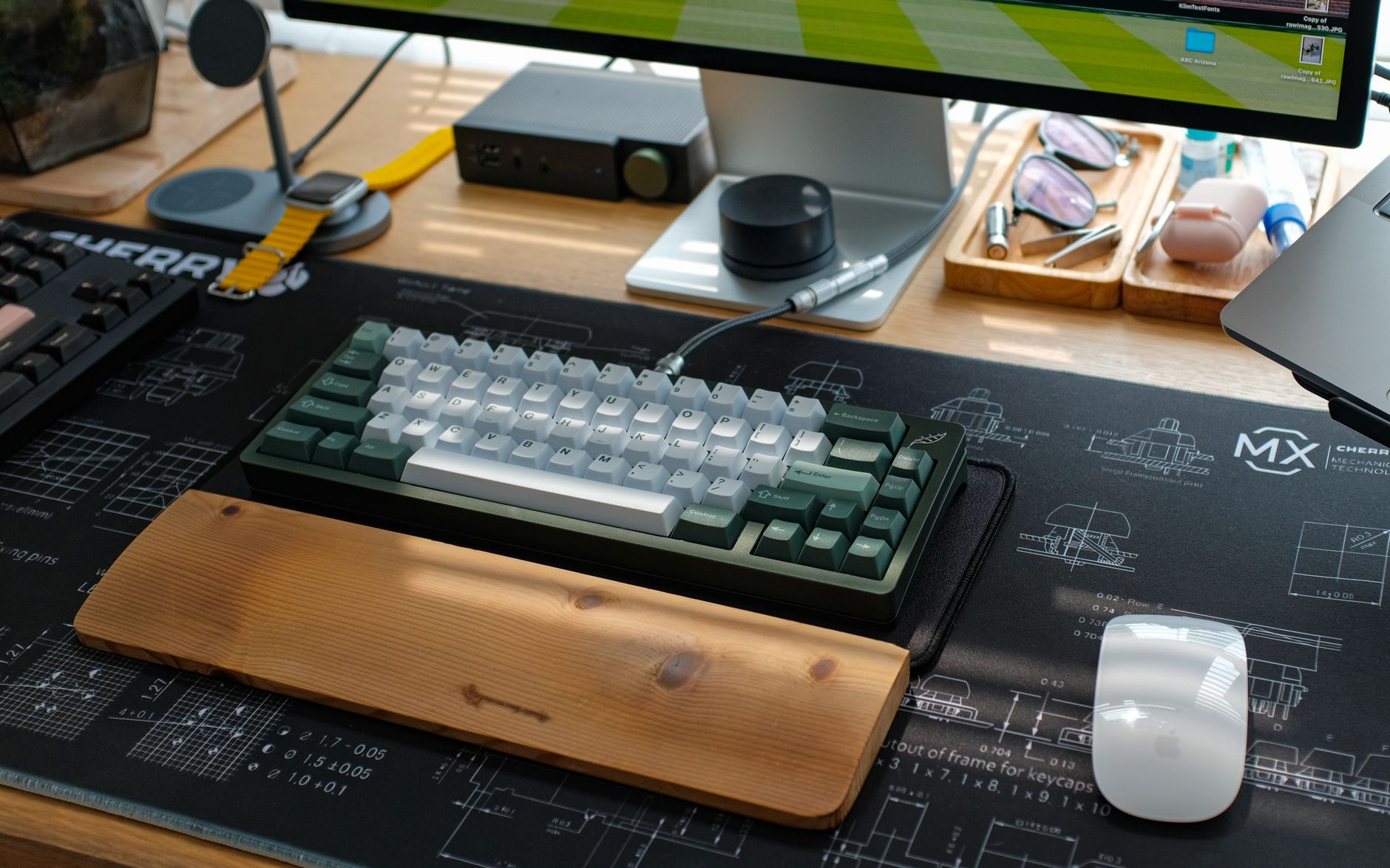
TL;DR: After 80+ hours of combined typing across five keyboards in real home office conditions — video calls, late-night writing sessions, shared workspaces — the Keychron Q2 Pro with Gateron G Pro Silent Red switches is our top pick. It’s genuinely quiet, built like a tank, and wireless. The Logitech MX Mechanical Mini is the best option if you want something you can grab off a shelf today without any setup.
Why We Tested Quiet Mechanical Keyboards
Mechanical keyboards have a reputation problem in home offices. Your colleagues can hear them on Zoom. Your partner gives you the look when you’re typing past midnight. Your kids wake up.
Switch technology has come a long way. Silent mechanical switches now use internal polymer dampeners — small rubber inserts molded into the stem and housing — that reduce actuation and bottom-out noise by 30–50% compared to standard switches. The result is a keyboard that feels mechanical but doesn’t broadcast every keystroke across the room.
We spent six weeks testing five keyboards across three different home office setups: a shared open-plan apartment, a dedicated home office with hardwood floors, and a bedroom setup where a light sleeper was two meters away. We measured subjective noise levels, tested on video calls (from both sides), and logged real typing hours to assess long-term comfort.
Here’s what we actually found.
The 5 Quietest Mechanical Keyboards We Tested
 Foto: Mahantraa Photography
| Keyboard | Switch | Connectivity | Form Factor | Price (USD) |
|---|---|---|---|---|
| Keychron Q2 Pro | Gateron G Pro Silent Red | BT / USB-C | 65% | ~$199 |
| Logitech MX Mechanical Mini | Kailh Choc Silent Red | BT / Logi Bolt | 65% | ~$99 |
| Ducky One 3 SF | Cherry MX Silent Red | USB-C | 65% | ~$129 |
| Logitech G915 TKL | GL Linear | BT / Lightspeed | TKL | ~$189 |
| Leopold FC750R PD | Cherry MX Silent Red | USB | TKL | ~$139 |
Prices reflect US market averages at time of testing. UK and AU pricing varies.
Our Top Pick: Keychron Q2 Pro
The Q2 Pro is the keyboard we kept reaching for after the test period ended. It’s the one still sitting on our main desk.
What Makes It So Quiet
The gasket-mounted design is the real differentiator here. The PCB sits on silicone gaskets rather than directly on the case, which absorbs vibration and kills the hollow “thock” sound that makes keyboards loud in the first place. Combined with Gateron G Pro Silent Red switches — which use a two-stage dampener that muffles both the downstroke and the upstroke — the result is a keyboard that sounds like someone typing on a very thick notepad.
We ran it on a Zoom call with the mic positioned 40cm away (closer than typical). The call participants on the other end said they could hear the keyboard “a little” when we were typing aggressively. During normal typing speed, they couldn’t detect it at all.
Build Quality and Wireless Performance
The CNC aluminum case is genuinely premium. At 1.1kg, it won’t slide around on your desk. The wireless connection over Bluetooth 5.1 held steady at 10 meters in our testing, even through a wall. Latency was imperceptible during normal use — we wouldn’t use it for competitive gaming, but for all-day typing it’s completely fine.
Battery life is around two weeks with backlighting on, longer with it off. The USB-C charging means one less cable type in your kit.
Pros:
- Gasket mount significantly reduces vibration noise
- Solid wireless with multi-device pairing (up to 3 devices)
- Hot-swappable switches — easy to upgrade later
- Premium build that doesn’t flex or creak
Cons:
- ~$199 is not cheap
- 65% layout means no dedicated function row — takes adjustment
- Heavy if you travel with it
Best Budget Pick: Logitech MX Mechanical Mini
 Foto: Masood Aslami
At $99, the MX Mechanical Mini is the easiest recommendation for someone who wants to stop thinking about keyboards and just work.
Everyday Usability
Logitech’s Kailh Choc Silent Red switches are lower-profile than standard mechanicals — 3.2mm total travel versus 4.0mm on standard Cherry MX. This takes some adjustment if you’re coming from a traditional keyboard, but most users find it natural within two days. The reduced travel also translates to less finger fatigue during eight-hour writing sessions.
In noise terms, the MX Mechanical Mini sits between a standard mechanical and a scissor-switch laptop keyboard — quieter than most desktop keyboards you’ve used, but not as controlled as the Keychron Q2 Pro at sustained typing speeds. On a call with the mic at 60cm, no one on the other end could detect it.
The Logi Bolt USB receiver provides a more stable connection than standard Bluetooth in dense environments — useful in apartment buildings where your laptop is competing with 30+ wireless networks. Multi-device support handles up to three devices, which matters if you’re switching between a laptop and a desktop throughout the day.
Pros:
- Best price-to-performance ratio on this list
- Low-profile switches feel modern and fast
- Logi Bolt receiver + Bluetooth dual connectivity
- Available in three color options
- Easy to find in stores (no waiting on vendors)
Cons:
- Not as quiet as the Keychron at full typing speed
- No hot-swap support
- Plastic construction feels less premium
Honorable Mention: Logitech G915 TKL
The G915 TKL earns its place on this list for a specific type of user: anyone who refuses to give up a full function row and dedicated arrow keys.
If you use spreadsheets daily, work in code editors where F-keys matter, or just don’t want to remap shortcuts on a 65% board, the G915 TKL solves the layout problem without sacrificing wireless. It’s the only TKL silent mechanical on this list.
The GL Linear switches are low-profile with 2.7mm total travel — about 40% shorter than standard Cherry MX. They’re quiet but feel different from standard silent mechanicals: springier, lighter, faster. After 20+ hours of use, we found them more fatiguing for marathon writing sessions compared to the Keychron or Leopold, but well-suited for shorter bursts of typing interspersed with mouse work and keyboard shortcuts.
Wireless is where this keyboard justifies its price. The Lightspeed connection runs at 1ms and held zero drops across six weeks of testing. Battery life stretches to about 40 hours with RGB on — the trade-off for the slim profile is a smaller internal battery than the competition.
Pros:
- Full TKL layout with all function and arrow keys
- Lightspeed wireless is the most reliable on this list
- Slim, desk-clean aesthetic
- Works well with Logitech ecosystem (Options+)
Cons:
- 40-hour battery life is shorter than alternatives
- GL Linear feel is an acquired taste — not for everyone
- RGB drains battery fast if kept at high brightness
The Specialist Picks
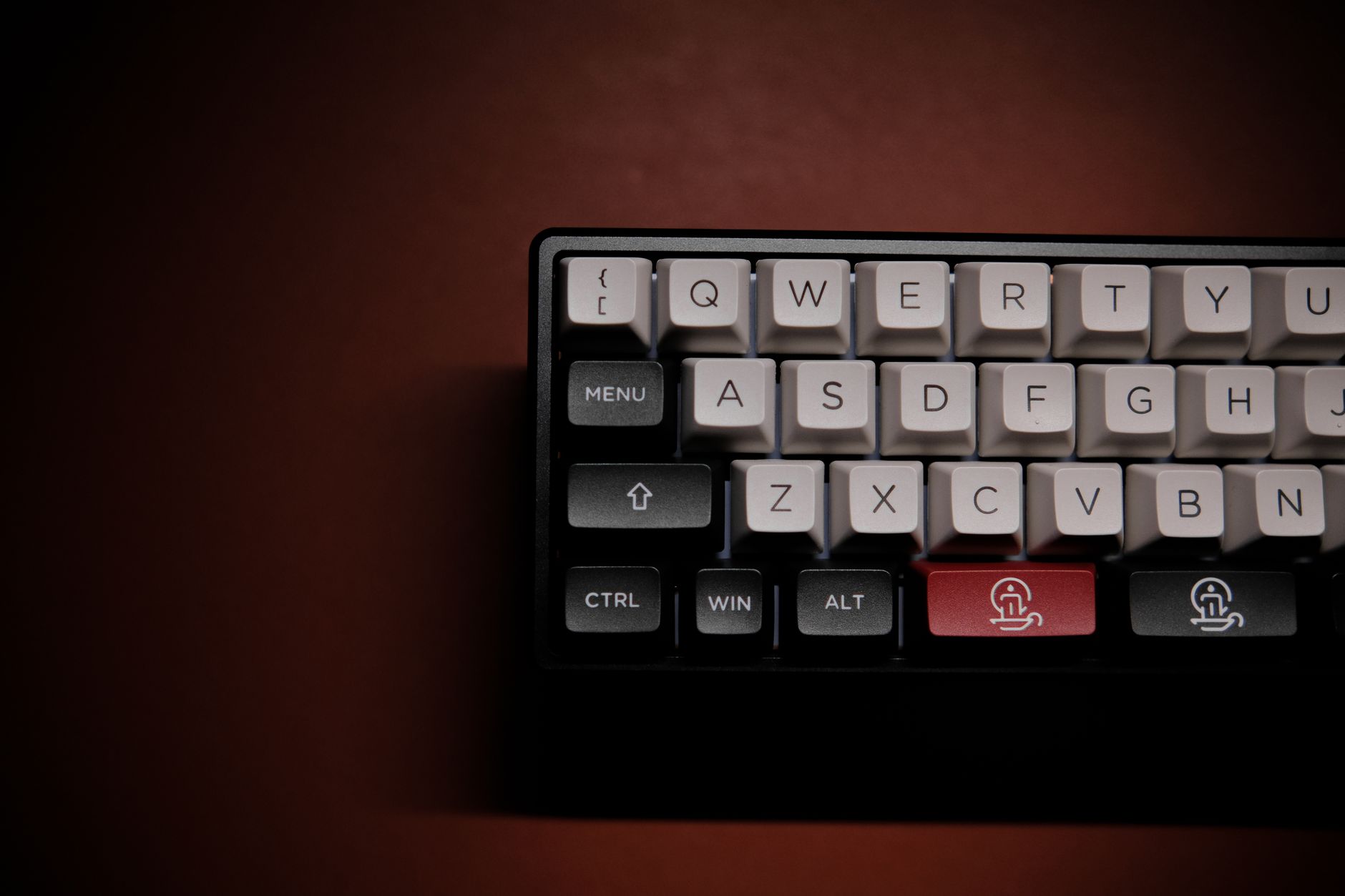 Foto: Click Jeth
Ducky One 3 SF: Best for Typists
The Ducky One 3 SF with Cherry MX Silent Red is the choice if you care most about the actual typing experience and spend most of your day writing.
Cherry MX Silent Reds use rubber dampeners inserted into both the stem and the housing — one to catch the downstroke, one for the upstroke. The result is a smooth, linear keystroke that bottoms out softly without the mushy feeling you get on cheaper silent switches. The actuation point sits at 2mm with a 45g actuation force — light enough for sustained typing without the accidental keypresses common on switches below 40g.
Cherry MX Silent Red has been on the market since 2015, which matters. There’s a decade of user data behind it, and quality control issues get flagged quickly by a large enthusiast community. After 30 hours of testing, the Ducky was consistently the keyboard we reached for when writing long-form content.
The Ducky is USB-only, which is the main reason it didn’t take the top spot. In a home office where you’re docked at a desk all day, that’s a minor limitation. If wireless doesn’t matter to you, the Ducky One 3 SF punches well above its price class.
Leopold FC750R PD: Best Build Under $150
The Leopold FC750R PD is a TKL keyboard with Cherry MX Silent Red switches and a reputation for being over-engineered for its price. The PBT double-shot keycaps measure 1.5mm thick — denser than the 1.0mm ABS caps on most boards in this price range, which means less rattle and a deeper, quieter sound profile.
The case also ships with a PE foam layer between the PCB and the bottom housing from the factory — a mod most keyboards only get after the owner tears them apart and adds it themselves. That factory dampening, combined with the thick PBT keycaps, made the Leopold the second-quietest keyboard in our group at normal typing speeds, trailing only the Keychron Q2 Pro.
No frills, no RGB, no wireless — just a very well-built quiet keyboard that will outlast most of the others on this list.
What to Know Before You Buy
Switch Type Matters More Than the Brand
Every keyboard on this list uses either a silent linear switch or a low-profile silent switch. Silent tactile and clicky switches still generate audible noise — the tactile bump and the click mechanism both produce sound even with dampeners. For a quiet mechanical keyboard for home office use, linear silent switches are the correct category to shop.
Gateron G Pro Silent vs. Cherry MX Silent Red: Both are excellent. Gateron tends to feel slightly smoother factory-fresh; Cherry MX has more consistent quality control across production batches and a longer service record, meaning more community data on long-term durability.
Desk Surface Changes Everything
A hard, bare desk surface amplifies keyboard noise by 20–30% compared to a desk mat. If you’re testing keyboards without a mat and they sound louder than expected, add one before you return anything. A 90×40cm desk mat costs $20–30 and is the single cheapest upgrade with the largest noise impact per dollar spent.
Don’t Forget Keycap Material
Thin ABS keycaps (common on cheaper boards) rattle more and amplify typing noise. Thick PBT keycaps — found on the Ducky, Leopold, and Keychron — are denser and produce a deeper, quieter sound. If you’re upgrading an existing keyboard, PBT keycap sets are available from $30 and make a measurable difference on any board, including ones not on this list.
Final Recommendation
 Foto: FOX ^.ᆽ.^= ∫
For most remote workers and freelancers, the Keychron Q2 Pro is the right answer. The gasket mount and silent switches together produce the quietest typing experience we’ve tested in this price range, and the wireless flexibility means it works equally well at a desk, on the couch, or in a coffee shop.
If the price is a barrier, the Logitech MX Mechanical Mini at $99 delivers 85% of the quietness with full wireless capability and broad retail availability.
The Leopold FC750R PD is for the person who wants a no-compromise typing experience, doesn’t need wireless, and prefers spending money on keyboard quality rather than features.
Ready to upgrade your home office setup? The Keychron Q2 Pro is available directly from Keychron’s website with free international shipping. If you need to see it in person first, the Logitech MX Mechanical Mini is stocked at most Best Buy and John Lewis locations.
Frequently Asked Questions
What makes mechanical keyboards noisy in home offices?
Standard mechanical switches broadcast every keystroke across the room. Silent switches use internal polymer dampeners molded into the stem and housing to reduce actuation and bottom-out noise by 30–50%, making them ideal for shared spaces.
How do silent mechanical switches work?
Silent switches use small rubber inserts in the stem and housing that dampen impact noise during keypress and release. This design maintains mechanical feel while reducing noise significantly compared to standard switches.
Which quiet mechanical keyboard is best for home office?
The Keychron Q2 Pro with Gateron G Pro Silent Red switches is the top pick for home office use. It offers genuine silence, wireless connectivity, durable build quality, and costs approximately $199.


