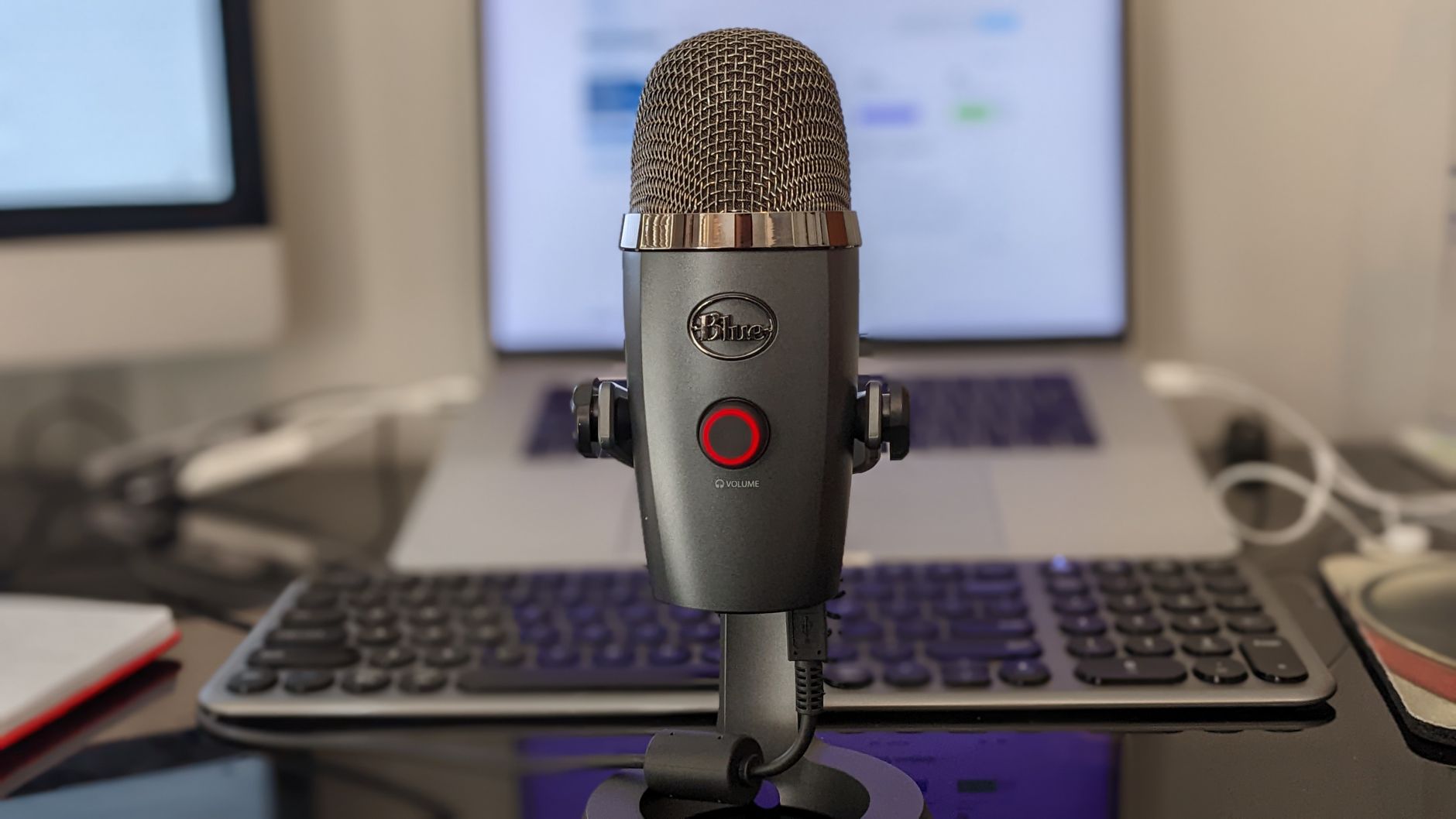
Seventy-three percent of professionals say poor audio quality makes them trust a speaker less — even when the content is solid. That’s not a marginal penalty. That’s a credibility tax you pay every single call, every recorded presentation, and every client pitch where your laptop mic is doing the heavy lifting.
Most remote workers significantly overspend on cameras and monitors while leaving audio as an afterthought. A 4K webcam won’t save you when colleagues are asking you to repeat yourself. Your microphone is the single piece of gear that shapes how competent you sound — and how seriously people take you.
This guide gives you a concrete framework for choosing the right microphone based on your actual working environment, use case, and budget.
Why Your Built-In Mic Is Costing You More Than You Think
The laptop microphone problem is structural, not incidental. Manufacturers design built-in mics to pass basic quality thresholds, not to compete with dedicated audio hardware. They sit inches from your keyboard, pick up every keystroke, and use aggressive noise-cancellation algorithms that flatten your voice into something that sounds vaguely robotic.
Zoom, Teams, and Google Meet all apply their own noise suppression on top of whatever your hardware is doing. Stack two layers of signal processing on an already mediocre source and you end up with audio that fatigues listeners within minutes.
Research from Sennheiser found that people listening to low-quality audio rate the speaker as less intelligent, less credible, and less persuasive — even when the audio content is identical. This isn’t a perception problem you can talk your way out of. It’s a hardware problem with a hardware solution.
The Real Cost of “Good Enough”
Budget a dedicated microphone into your home office setup and you’re looking at a one-time investment between $50 and $200 for most remote workers. Compare that to the compounding cost of:
- Clients who hesitate to refer you because calls feel unprofessional
- Team members who disengage on long meetings because your audio creates cognitive friction
- Missed details from colleagues who gave up asking you to repeat yourself
A $99 microphone that lasts five years costs roughly $20 per year. The audio upgrade pays for itself after a single client call that doesn’t require an apology for bad sound.
Understanding Microphone Types: The Three Categories That Matter
Walk into any audio retailer and the options are overwhelming. Strip it back to fundamentals and you’re really choosing between three categories, each with a distinct use case.
USB vs. XLR: Which Interface Do You Need?
USB microphones connect directly to your computer. They contain a built-in audio interface, which means no additional hardware is required. For the vast majority of remote workers, this is the right choice. Setup takes under two minutes, compatibility is near-universal, and quality at the $80–$150 price point is excellent.
XLR microphones require a separate audio interface — a device that converts the analog signal to digital and connects to your computer via USB. The barrier to entry is higher (expect to spend an additional $100–$150 on the interface alone), but the ceiling for audio quality is also higher. This path makes sense if you’re producing podcasts, doing regular video content, or want a system you can scale over time.
For pure remote work — calls, virtual presentations, online teaching — USB wins on simplicity without meaningful sacrifice in quality.
Polar Patterns: The Variable Most People Ignore
Polar patterns define where your microphone picks up sound and, crucially, where it rejects it. This single specification has more practical impact on your call quality than sample rate or frequency response.
Cardioid is the pattern for most remote workers. It captures sound from the front and rejects sound from the rear. Point it at your mouth and it naturally suppresses ambient noise from behind the mic — fans, HVAC systems, street noise.
Omnidirectional captures equally in all directions. Useful for conference room setups where multiple speakers sit around a table. A poor choice for a home office where environmental noise is unpredictable.
Bidirectional (figure-8) picks up from front and back while rejecting the sides. This is the pattern for in-person interview setups. Not relevant for solo remote work.
Supercardioid offers a tighter pickup angle than standard cardioid with better off-axis rejection. Good for acoustically challenging environments, but requires more precise mic placement.
If you’re buying for a typical home office, start with cardioid and adjust from there based on your room’s acoustic properties.
Condenser vs. Dynamic: Sensitivity Is a Double-Edged Sword
Condenser microphones are more sensitive and capture a wider frequency range. They’ll make your voice sound fuller and more detailed. The trade-off is that they also capture more room noise — air conditioning, keyboard clicks, ambient hum. Condensers excel in treated rooms or quiet environments.
Dynamic microphones are less sensitive and naturally reject background noise. They’re more forgiving in untreated spaces — open-plan apartments, offices near busy streets, rooms with hard surfaces and poor acoustics. The audio is slightly less detailed, but the practical noise floor is much lower.
The rule of thumb: if you work in a quiet, acoustically reasonable space, choose a condenser. If you’re in a noisy or reverb-heavy environment, choose a dynamic.
The Microphone Comparison Table: Eight Models Evaluated
The market has consolidated around a handful of genuinely strong options at each price tier. Here’s an honest assessment across the specifications that actually matter for remote work.
| Microphone | Type | Pattern | Interface | Price (USD) | Best For |
|---|---|---|---|---|---|
| Blue Yeti | Condenser | Multi-pattern | USB | $129 | Podcasters, versatile use |
| Shure MV7 | Dynamic | Cardioid | USB/XLR | $249 | Noisy environments, hybrid setup |
| Rode NT-USB Mini | Condenser | Cardioid | USB | $99 | Clean rooms, video calls |
| Elgato Wave:3 | Condenser | Cardioid | USB | $149 | Streamers, content creators |
| Samson Q2U | Dynamic | Cardioid | USB/XLR | $70 | Budget entry into dynamic mics |
| HyperX QuadCast S | Condenser | Multi-pattern | USB | $159 | Feature-rich, beginners |
| Shure MV5 | Condenser | Cardioid | USB | $79 | Minimal desk footprint |
| Audio-Technica ATR2100x | Dynamic | Cardioid | USB/XLR | $99 | Noisy rooms, future-proofing |
Key takeaways from this field:
- The Shure MV7 is the benchmark for remote workers who want professional results without compromise. Its dynamic capsule handles noisy environments exceptionally well, and the dual USB/XLR interface means it grows with you.
- The Rode NT-USB Mini offers the best audio-to-dollar ratio for quiet home offices. Small footprint, excellent clarity, and zero configuration complexity.
- The Samson Q2U is the best entry point for anyone unsure whether to commit to the dynamic microphone category. At $70, it’s low-risk with a clear upgrade path.
- Avoid the Blue Yeti if your room has any meaningful echo or ambient noise. Its multi-pattern design is marketed as a feature; for solo remote work in an untreated room, it’s a liability.
How Your Room Shapes Your Microphone Choice
Gear selection doesn’t happen in a vacuum. The acoustic properties of your workspace are as important as the microphone’s specs — and most people don’t account for this until they’ve already made a purchase they regret.
Diagnosing Your Acoustic Environment
A quick test: clap once sharply in your workspace and listen to the decay. If you hear a clear, short echo or a room reverb that lingers for more than half a second, you have a reflective environment. Hard floors, bare walls, and minimal furniture all contribute to this.
In a reflective room, a highly sensitive condenser mic will capture that reverb and make your voice sound like you’re calling from a bathroom. This is where dynamic mics earn their reputation.
Acoustic treatment doesn’t require a professional recording studio. Practical interventions that cost very little:
- Bookshelves filled with books break up flat wall reflections
- A rug under your desk reduces floor bounce
- Heavy curtains absorb sound on windows and exterior walls
- Positioning your mic closer to your mouth increases the ratio of direct sound to room sound — this works regardless of microphone type
Mic Placement: The Overlooked Variable
Most remote workers mount their microphone at monitor height and talk down into it from a distance of 12–18 inches. This setup guarantees mediocre results regardless of what they spent on the mic.
Correct placement for cardioid microphones:
- Position the capsule 4–8 inches from your mouth
- Angle slightly off-axis (10–20 degrees) to reduce plosive sounds — the hard “p” and “b” sounds that cause pressure spikes
- Use a pop filter if you’re on a cardioid condenser at close range
- Bring the mic to your mouth, not the other way around — a boom arm costs $20 and solves this immediately
Budget Tiers: What You Actually Get at Each Price Point
The audio equipment market has a clear quality curve. Understanding where the diminishing returns begin helps you spend efficiently.
Under $75: Entry-level territory. The Fifine K670 and Samson Meteor Mic both perform acceptably for standard video calls. Expect audible self-noise, limited frequency response, and plastic build quality. Fine for occasional meetings; not adequate for client-facing work or content production.
$75–$150: The sweet spot for remote workers. This range includes the Rode NT-USB Mini, Shure MV5, and Audio-Technica ATR2100x. You get professional-grade capsules, meaningful noise rejection, and build quality that survives daily desk use. Most people have no reason to spend beyond this tier.
$150–$250: Where dedicated podcasters, online educators, and content creators should be looking. The Shure MV7 and Elgato Wave:3 Plus live here. Meaningful improvements in dynamic range, low self-noise, and physical construction. The USB/XLR hybrid options in this range also future-proof your setup.
Above $250: Diminishing returns arrive sharply. You’re paying for marginal improvements in specifications that fall below the threshold of human perception in typical remote work scenarios. Gear in this range makes sense for audio professionals. For remote work calls and content creation, the $150–$250 ceiling captures 95% of the practical benefit.
The Final Verdict: A Decision Framework in Four Questions
Rather than prescribing a single recommendation, use this framework to arrive at the right answer for your specific situation.
1. Is your workspace acoustically challenging? Yes → Dynamic microphone (Shure MV7, Samson Q2U, Audio-Technica ATR2100x) No → Condenser microphone (Rode NT-USB Mini, Elgato Wave:3)
2. Do you need portability? Yes → Compact form factor with USB (Rode NT-USB Mini, Shure MV5) No → Standard desktop mic with boom arm
3. What’s your realistic budget? Under $100 → Samson Q2U (dynamic) or Rode NT-USB Mini (condenser) $100–$200 → Shure MV7 or Elgato Wave:3 Above $200 → Shure MV7 with a quality interface for future XLR expansion
4. Is this for calls only, or also for recorded content? Calls only → USB condenser in the $79–$99 range handles everything you need Recorded content → Budget $150+ and consider the USB/XLR hybrid path
Most remote workers get the best return from a $99 dynamic or condenser USB mic paired with a $20 boom arm. That combination outperforms a $600 laptop microphone every time, costs less than a month of coffee subscriptions, and solves the problem permanently.
When you’re on client calls, team meetings, or recorded content, your audio setup is part of your professional presentation. Knowing how to choose microphone for remote work — and actually acting on it — is one of the lowest-effort, highest-return upgrades available to any home office worker. Stop paying the credibility tax.
Frequently Asked Questions
Why does my built-in laptop microphone sound bad on professional calls?
Built-in mics sit near keyboards, pick up keystroke noise, and use aggressive noise-cancellation that flattens your voice. This is a hardware design limitation, not a user issue.
Does poor audio quality really affect how people perceive me?
Yes — research shows people rate speakers with poor audio as less intelligent, less credible, and less persuasive, even when the content is identical.
How much should I budget for a quality microphone?
For most remote workers, budget $50–$200 for a one-time investment in a dedicated microphone that significantly improves your professional presence.


